
Sprinkler Controller Has No Power: What to Check First
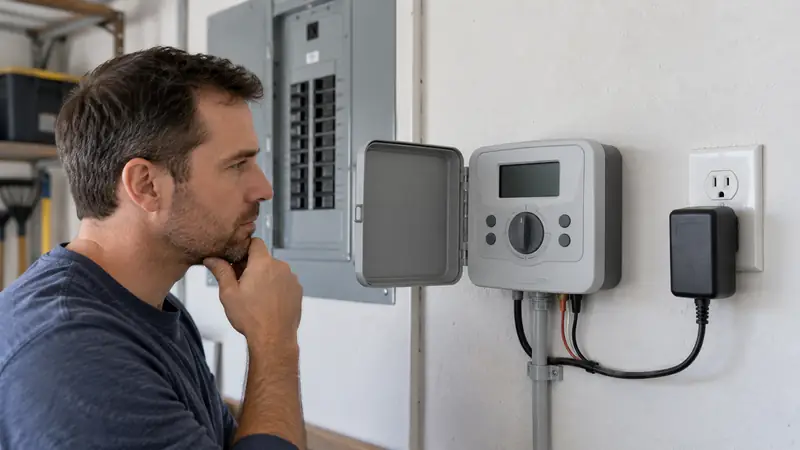
If your sprinkler controller has no power, begin with the power source and the display. A completely blank screen points toward the outlet, GFCI, breaker, adapter, or controller; a lit screen with a specific error calls for that model’s troubleshooting steps. Keep live electrical compartments closed. If the display is active but a zone does not water, use valve and water-delivery checks instead.
First decide what “no power” looks like
A completely blank screen suggests the controller may not be receiving power. A readable screen with a “No AC” message means the controller detects a specific power-supply problem. A lit controller that will not start a zone may have a schedule, sensor, wiring, valve, pump, or water issue instead. Separating these symptoms keeps you from changing settings when the supply is the real fault.
Check the outlet and circuit safely
- Look for a tripped breaker or GFCI. If the controller plugs into an outlet, check whether the circuit or GFCI receptacle has tripped. Reset only if you can do so safely and the area is dry.
- Test the outlet with an ordinary device. Orbit’s support guide suggests checking the same outlet with another small appliance. If it has no power, the issue is upstream of the controller. Do not use a hair dryer or high-load appliance outdoors or around wet areas.
- Check the plug and adapter. Make sure the transformer is fully seated and the low-voltage connector is not loose or damaged. Use only the supply specified for that controller.
- Check for a recent outage or surge. If other household devices also lost power, restore the circuit first. A surge can damage an adapter or controller even after normal household power returns.
If the unit is hardwired rather than plugged in, do not remove covers to inspect connections unless you are qualified. Switches and conductors in the power compartment may carry household voltage.
When power reaches the controller but the screen stays blank
Follow the manufacturer’s reset or power-cycle instructions for the exact model. Orbit’s non-smart timer guidance recommends testing the outlet, using the reset function, and power cycling where the manual permits. Hunter manuals list absent AC power and transformer installation among checks for a blank display. If the outlet is known to work and the approved adapter is connected but the display remains dead, the adapter, wiring, or controller may need service.
Do not substitute a transformer because its plug fits. Output voltage, AC versus DC, current rating, and connector polarity need to match the controller. A mismatched adapter can damage the unit or create an unsafe condition.
Keep the symptoms separate
If the screen is active but automatic watering does not begin, verify the date, time, watering days, start time, controller mode, and any rain sensor or programmed delay. Hunter’s troubleshooting tables also identify sensor shutdown and programming errors as causes of missed automatic watering. If only one zone fails while others operate, inspect that station’s wiring and valve circuit rather than the controller’s main power supply.
If the screen displays “No AC,” use the model-specific guide for that error rather than treating it as a WiFi problem. The message concerns the electrical supply detected by the timer, not the internet connection.
Know when to stop
Call an electrician for a tripped breaker that will not reset, signs of moisture or burning, exposed household wiring, or a hardwired controller with uncertain connections. Contact the manufacturer or replace the approved adapter if the outlet and circuit test normally but the controller remains blank. Repeated power cycling is not a fix for a failing transformer or damaged controller.
After power returns, confirm the time and schedule have not reset. Run one zone manually and check that the controller’s display stays on. If power is stable but the sprinklers still do not operate, continue with wiring and valve troubleshooting.

- Ryan
Ryan Mitchell covers sprinkler controllers, smart irrigation, and watering technology at Best Sprinkler Controllers, with a focus on clear comparisons, practical features, and helping homeowners choose the right setup for their yard.
- Best Sprinkler Controllers Without Subscription Fees November 20, 2026
- Sprinkler Controller Has No Power: What to Check First November 18, 2026
- Best Local-Control Sprinkler Controllers: 9 Cloud-Light Picks November 16, 2026
- Best Smart Sprinkler Controllers With Physical Controls November 14, 2026
- Best Battery-Powered Sprinkler Controllers: 9 Picks in 2026 November 10, 2026