
Rachio 3 Review: Features, Setup, and Real-World Fit
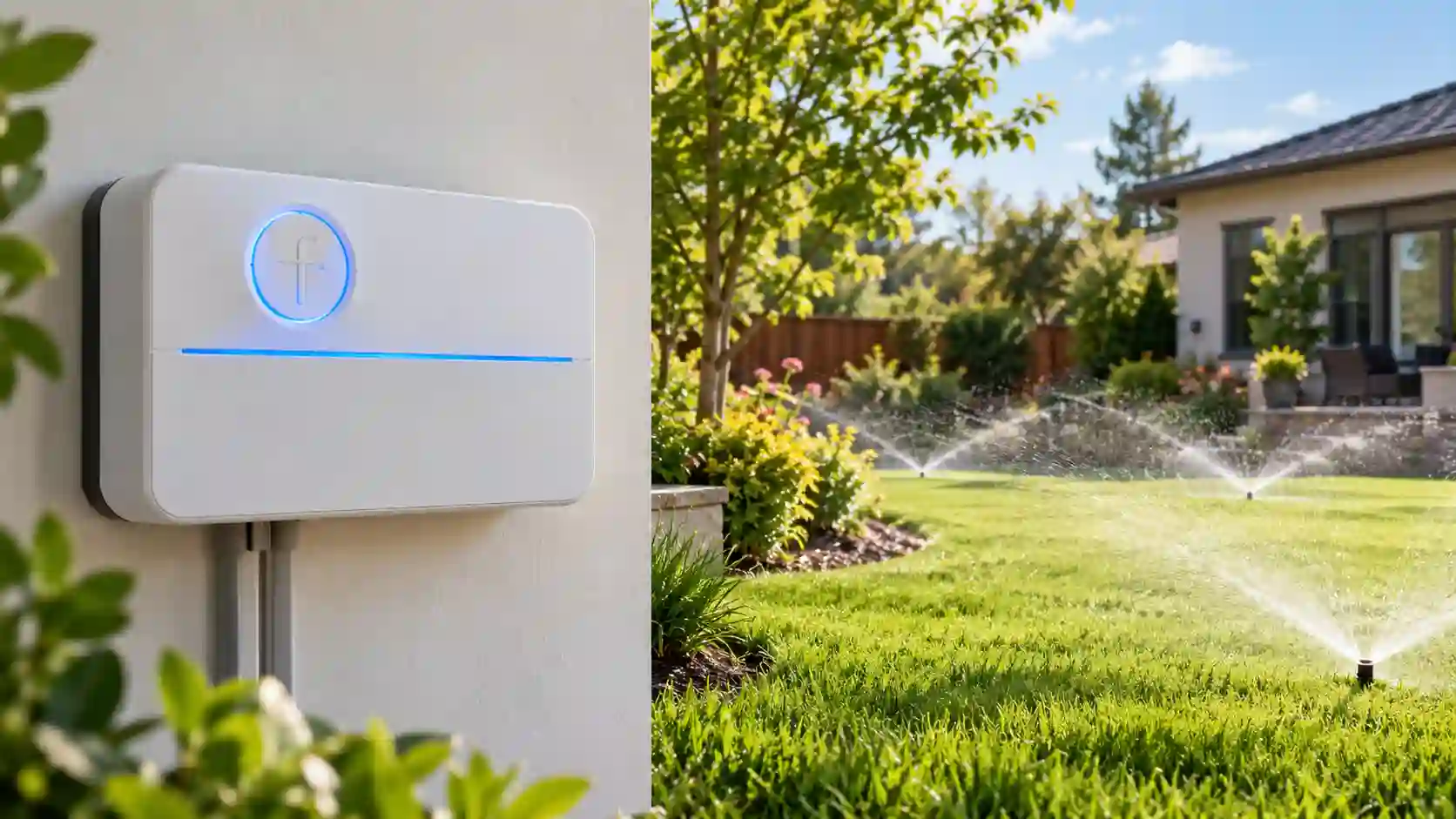
Rachio 3 is a smart sprinkler controller for homeowners who want scheduling, weather response, and remote access in one system. The eight-zone version is aimed at the residential layouts found in many front and back yards, with separate circuits for lawn, beds, shrubs, trees, and drip irrigation. Its main appeal is the software that sits behind the controller. The owner can build a schedule, name the zones, adjust runtimes, and respond to weather without standing beside the irrigation cabinet.
A good Rachio 3 installation still depends on ordinary irrigation details. The valve count, common wire, transformer, sensor connection, mounting location, and wireless signal all matter. A smart controller cannot correct a weak valve, a restricted water supply, poor sprinkler coverage, or a wire that was mislabeled years ago.
This review looks at the controller as a complete system. It covers zone capacity, installation, app scheduling, weather intelligence, local controls, network behavior, smart-home connections, maintenance, and situations where another type of controller may be a better choice. The feature descriptions are based on the stated product information and the practical requirements of a residential replacement.
The short version is simple: Rachio 3 is a strong fit for an eight-zone home with a protected indoor mounting point and a reliable wireless network. It is less suitable for someone who wants a full dial or screen at the controller, an outdoor cabinet without extra protection, or more than eight active stations.
Quick Answer
Rachio 3 is a strong fit for an eight-zone residential system that values weather-aware scheduling and app access. Use the links below to jump to the decision points that matter most.
- Product overview covers the station count, intended use, and main control approach.
- Weather-based scheduling explains how forecast adjustments affect daily watering.
- Installation and compatibility covers mounting, wiring, network, and smart-home fit.
- Final verdict summarizes the buyer profile that makes the controller a good match.
Rachio 3 at a Glance
| Feature | What it means for the installation |
|---|---|
| Station capacity | Eight independent zones |
| Network | Dual-band Wi-Fi according to the product information |
| Scheduling | App-based schedules, seasonal adjustment, grow-in tools, and weather skips |
| Local access | Quick-run controls for immediate zone operation |
| Weather response | Rain, wind, freeze, and saturation adjustments are described |
| Smart-home path | Alexa, Google Home, and IFTTT support are listed |
| Mounting | Indoor location or suitable protection for an outdoor installation |
| Best residential use | Separate lawn, bed, shrub, tree, and drip circuits within eight stations |
Product Overview
What Rachio 3 is designed to do

Rachio 3 moves most schedule management into a mobile app. Instead of setting every start time and runtime from a small panel, the owner identifies the zones, enters information about the landscape, and builds programs through the connected interface. That can reduce the friction of seasonal changes and make it easier to pause or adjust watering while away from home.
The controller also tries to reduce unnecessary watering through weather intelligence. The stated feature set includes skips for rain, wind, freezing conditions, and saturated soil, along with seasonal adjustment. These tools can be useful when the base schedule is sound. They do not remove the need to inspect the sprinkler heads or confirm that the selected runtimes match the plants and soil.
Who should look closely at it
Rachio 3 makes the most sense for a homeowner who wants a connected system and is comfortable using an app as the main schedule editor. It is a natural fit for an eight-zone yard where the valve count is settled, the controller can be mounted indoors, and the wireless network reaches the installation point.
It can also work well for a homeowner who travels, manages a second property, or wants schedule information available away from the house. The remote path is useful for a manual run, a delay after rain, or a change to a newly planted area. The controller is less appealing for an owner who prefers a dial, LCD, or complete schedule interface at the cabinet.
Pros
- Eight stations let you separate common lawn, bed, shrub, and drip circuits without forcing unlike areas together.
- Weather skips can reduce unnecessary watering after rain, wind, freeze, or saturated conditions.
- Dual-band Wi-Fi gives compatible homes a more flexible setup path.
- Seasonal and grow-in tools make first-year schedule changes easier to manage.
- App access and smart-home support fit owners who prefer connected control from inside the home.
Cons
- The indoor-first installation profile may require a protected utility room or a suitable enclosure for exterior placement.
- Most schedule creation happens in the app, so buyers wanting a full local panel may prefer another style.
Rachio 3 is the strongest fit for a homeowner who wants a permanent indoor smart controller for an eight-zone property and expects to manage watering through a phone, voice assistant, or web-connected routine. It is less compelling for a growing landscape that needs more stations or for a service setup where a full local panel is the primary control method. The decision should follow the valve count, mounting point, and control habits rather than the app feature list alone.
To buy this product, click here.
Detailed Rachio 3 Review
Eight-zone capacity and residential layout
The eight-zone version can cover a common home irrigation map, but the station count needs to be connected to the valve count rather than the size of the property. A front lawn may use one valve, a rear lawn another, and foundation beds, side strips, trees, and drip areas may use the remaining stations. The layout works when each circuit has a clear purpose and the water supply can operate the heads assigned to it.
Eight stations can also be filled faster than expected. A property may start with a front lawn, rear lawn, and two beds, then add a vegetable garden, a tree drip line, and a side-yard planting area. The owner should decide whether future work is likely before using every terminal. A controller that has no open station cannot easily accommodate a new valve without another change.
The station count does not tell you how much water a zone needs. A rotor circuit, spray circuit, and drip circuit may have different flow and runtime requirements. Rachio 3 can separate those schedules when the valves are wired separately. It cannot create a separate runtime for two areas that share one valve.
Installation location and enclosure planning
The controller is intended for indoor installation, which can be an advantage in a protected utility room or garage. The cabinet is less exposed to rain, heat, insects, and accidental contact, and the homeowner can inspect it throughout the season. An indoor location can also be closer to the home router than an exterior valve box.
Outdoor placement needs a suitable enclosure and a protected power arrangement. The enclosure must match the manufacturer requirements, allow the wire bundle to enter without water intrusion, and leave enough space for the transformer and service work. Do not treat a general plastic box as proof that the installation is protected. The wall, cable path, outlet, and condensation risk all deserve attention.
Measure the distance between the proposed controller location and the valve wiring. A protected indoor location can require a longer cable route, while an outdoor location can simplify the wire path but complicate power and weather protection. The best location is the one that balances wiring access, network reach, service access, and the product’s mounting category.
Wiring and compatibility
Before removing the old controller, photograph the terminals and label the common wire, each station wire, sensor leads, and any pump or master-valve connection. The common wire completes the circuit for the valves, while the station wires identify which valve receives the controller command. A mislabeled wire can make a new smart controller appear defective when the actual problem is the existing installation.
Check the transformer and the valve requirements. A controller replacement may use a different power arrangement or require a different connection method. If the transformer is hard-wired, a qualified electrician should handle that portion. Low-voltage irrigation wiring still needs to be installed carefully and protected from moisture or damage.
Sensor compatibility also deserves a separate check. A rain sensor can pause watering, but the sensor must connect to the supported terminals and be configured correctly. A pump or master-valve connection can require a dedicated output. The number eight on the front of the controller does not prove that every accessory in the existing system will transfer directly.
App setup and schedule design
The app-centered workflow starts with naming the zones and describing the areas they serve. Clear names such as front lawn rotors, north bed drip, or back shade lawn are more useful than zone one and zone two. The names help during a manual run and make seasonal review easier when the property has several similar circuits.
Build the schedule around the real watering needs of each zone. Turf, shrubs, trees, and drip beds should not receive the same runtime simply because they are in the same yard. The soil, sun exposure, sprinkler type, slope, and plant material all affect how much water the area can use without runoff.
Start with a conservative schedule and observe the result. Look for dry areas, runoff, pooling, clogged heads, and water that reaches sidewalks or driveways. Adjust the runtimes after seeing the yard through different weather patterns. A smart schedule becomes useful after the base settings reflect the actual system.
Weather intelligence and automatic skips
Weather response is one of the main reasons to choose Rachio 3. The product information describes automatic adjustments around rain, wind, freeze, and saturated conditions. A forecast-driven pause can prevent a scheduled cycle from running after a storm, while seasonal adjustment can change the overall watering level as the year changes.
Weather intelligence works best when the controller has the right location and the zone information is accurate. A forecast does not know that one bed has poor soil or that a head is blocked. The owner still needs to review the plants, soil, and coverage. Automatic skips are a schedule aid, not a replacement for irrigation maintenance.
Local weather can vary across a property, especially in hilly areas or near a coast. A rain sensor may provide useful information at the property itself, while the connected service provides broader forecast data. The homeowner should understand which signal controls the pause and what happens when the network is unavailable.
Local controls and manual watering
Rachio 3 includes quick-run controls, which can help start a zone without opening the app. That is useful during installation, a sprinkler-head check, or a short manual watering task. The local controls do not turn the unit into a full dial-based controller. The main schedule editor remains the app.
This distinction matters for a rental, shared home, or property maintained by several people. A service person may need to run a zone quickly, while a household member may want to change a start time without using a phone. Decide who will operate the controller before selecting an app-first model.
A saved schedule can help during a temporary connection problem, but remote changes and weather updates may pause. The exact offline behavior should be checked in the current documentation. Keep the station map and schedule notes available so the system can be managed if the phone or network path is temporarily unavailable.
Wi-Fi and network requirements
Dual-band Wi-Fi can make the controller easier to connect in a home that uses both common wireless bands. The signal still needs to reach the installation point. A utility room behind concrete, a garage at the edge of the property, or a cabinet near metal equipment can have weaker coverage than the living room.
Test the network where the controller will be mounted. If the signal is poor, a mesh node or a different indoor location may be needed. The network name, password, security settings, and phone connection can all affect setup. The owner should also know how the controller will be reconnected if the router changes.
A stable network helps weather updates and remote access, but it does not replace local inspection. The irrigation schedule should still be checked after a power interruption, a long outage, a router replacement, or a major landscape change.
Smart-home integrations
Rachio 3 lists support for Alexa, Google Home, and IFTTT. Voice access can help start a run or check the status in a household that already uses those services. IFTTT can support broader routines, but it also adds another account and automation layer that needs to be maintained.
Smart-home integration is most valuable when it answers a real need. A simple manual run may be easier in the irrigation app than through a complex automation. A homeowner who wants an irrigation pause tied to a broader home routine may appreciate the extra connection. Keep the core schedule understandable even when other services are added.
Seasonal and grow-in schedules
New plantings often need different watering from established areas. A grow-in schedule can keep a new lawn or bed from sharing the same runtime as mature turf. Seasonal adjustment can reduce the need to rewrite every zone when the weather changes across the year.
These tools are valuable when the zone names and plant information are accurate. A new bed should be identified as its own zone when possible. If it shares a valve with mature turf, the controller cannot create a different runtime without a valve or schedule redesign.
Maintenance and troubleshooting
Use the controller to start each zone and walk the yard at least once each season. Check head coverage, leaks, clogged nozzles, broken risers, and water that reaches hard surfaces. A smart schedule can continue operating a damaged circuit, so the owner must inspect the physical system.
Review the schedule after severe weather, a landscaping project, or a water-pressure change. Clean the valve boxes, protect the controller from moisture, and keep the zone map updated. If one station stops working, determine whether the issue is the app command, the station wire, the valve solenoid, the common wire, or the water supply.
Who Should Choose Rachio 3?
Choose it for an app-led home irrigation routine
Rachio 3 is a good match for an owner who wants to manage watering from a phone and appreciates weather-based adjustments. The app can make seasonal changes and remote checks easier than a small local panel. It also helps an owner see the schedule without standing in the garage or utility room.
Choose another model for outdoor-first placement
An outdoor valve box or exterior wall may point toward a controller with an outdoor-rated case. Rachio 3 can still work with suitable protection, but the enclosure, outlet, wire route, and network signal add work. A model built for the location may be a better fit when the installation needs to remain outside.
Choose a larger controller for a growing landscape
Eight stations cover many homes, but a growing property can fill them quickly. If a new lawn, garden, drip system, or side bed is already planned, compare a twelve-station controller before committing to a full eight-zone layout.
Choose stronger local controls for service-heavy properties
Rachio 3 provides quick-run access, but the schedule editor is app-based. A property with frequent service visits, shared maintenance, or limited network access may benefit from a touchscreen, dial, or LCD that gives a deeper local workflow.
Installation Walkthrough
Prepare the valve and wire map
Start by identifying every valve and matching it with the station terminal on the existing controller. Run each station manually and record the area that turns on. Mark the common wire, sensor wires, pump or master-valve wire, and any unused conductors. A photograph is useful, but a written map is easier to follow after the old controller has been removed.
Inspect the valve boxes while the system is running. A valve that clicks without opening, a common wire that affects several zones, or a head that sprays poorly can create symptoms that look like controller trouble. Fix or document those issues before judging the new controller.
Choose the indoor mounting point
The indoor location should be dry, accessible, and close enough to the router for a dependable connection. Leave room for the station wires to bend without strain and for the transformer to remain protected. A cabinet hidden behind storage can be safe from weather but difficult to service, so access should be part of the decision.
If the only practical location is outside, plan the enclosure and power arrangement before buying. The enclosure should protect the controller, maintain the required clearance, and leave a safe path for the cable. A damp box or exposed outlet can undermine an otherwise correct smart-controller installation.
Connect and test before programming
Turn off power before moving the wires. Connect the common and station wires according to the current installation instructions, then check the connections before restoring power. If the system uses a pump, master valve, or sensor, verify the terminal assignment instead of assuming that the old labels are correct.
Run each zone manually after power is restored. Confirm that the correct area turns on, that the valve closes, and that the heads provide acceptable coverage. Test the controller near the proposed mounting point with the phone and router before spending time on a full schedule.
Build a first-season schedule
Enter zone names, head types, sun exposure, soil, and plant information with care. Use conservative runtimes during the first week and walk the property after each cycle. Look for runoff, dry corners, overspray, and water that reaches the pavement. Adjust the schedule after observing actual conditions.
Keep a record of the starting runtimes and seasonal adjustments. A record helps identify whether a change improved the landscape or simply moved water from one problem area to another. It also makes the next spring startup faster.
Rachio 3 Compared with Other Control Styles
Compared with a traditional dial controller
A dial controller keeps programming visible at the cabinet and can work without an app. Rachio 3 offers stronger remote access and weather tools, but most schedule creation moves to the phone. The better choice depends on the operator. A homeowner who manages watering from work or while traveling may value the app, while a service routine may favor a visible local panel.
Compared with an outdoor Wi-Fi controller
An outdoor-rated model can simplify a valve-box or exterior-wall installation because the cabinet is designed for that location. Rachio 3 can still serve an outdoor system with suitable protection, but the enclosure and power requirements add another layer. The outdoor model may be easier when the wire route and mounting point are already outside.
Compared with a larger touchscreen controller
A twelve-zone touchscreen controller gives a larger landscape more stations and a deeper local interface. Rachio 3 is smaller and more app-led. The choice should follow the actual property. Eight stations are enough for many homes, while a growing landscape or a system with sensors and a pump may benefit from the extra terminals and local controls of a larger unit.
Compared with a module-based upgrade
A module-based controller can preserve a familiar dial and add wireless access later. Rachio 3 provides a single connected product with its main software experience present from the start. A module suits a staged project or an owner who wants local programming first. Rachio suits an owner who wants the app to be central to schedule management.
Rachio 3 Decision Checklist
- Confirm that the system has eight or fewer active valves.
- Count future zones that may be added during the controller’s service life.
- Choose an indoor mounting point with safe power and accessible wiring.
- Test Wi-Fi at that exact location.
- Photograph and label the common, station, sensor, pump, and master-valve wires.
- Check the transformer and valve compatibility.
- Decide who needs app access and who will handle service runs.
- Test every zone after installation before setting a long schedule.
- Keep the zone map and initial settings with the maintenance records.
This checklist keeps the decision grounded in the physical irrigation system. The app can make the controller easier to manage, but the long-term result still depends on the valves, heads, wires, water supply, and schedule created after installation.
What a Good First Month Looks Like
The first month should be treated as a tuning period rather than a finished schedule. Run each zone, observe the spray pattern, and compare the soil response across sunny and shaded areas. A controller can report that a cycle ran successfully while a clogged head leaves one corner dry.
Review the schedule after the first meaningful rain, after a hot spell, and after any landscape work. Confirm that weather skips make sense for the property and that a new bed or repaired valve has its own correct runtime. Small adjustments during the first season can prevent a fixed schedule from wasting water or stressing plants.
Keep the system understandable for someone else. Zone names, a valve map, the mounting location, and the basic account recovery steps should be available in the maintenance records. A smart controller is easier to trust when its physical layout and digital schedule tell the same story.
Rachio 3 Setup Decisions That Matter
Map the valve wires before opening the app
A clean wire map saves time during installation and makes later troubleshooting much easier. Start by labeling the common wire and each station wire at the old controller. If a wire serves a valve that is rarely used, record that detail instead of assuming it can be combined with another station. A written map also helps you compare the physical layout with the zones you plan to create in the app.
Test each valve before finalizing the schedule. A zone that does not open fully, a wire with a weak connection, or a valve that leaks after shutoff can look like a scheduling problem when the real fault is in the field. The controller can manage a well-organized system, but it cannot correct a damaged solenoid, a blocked filter, or a weak water supply.
Plan for the controller’s indoor location
Rachio 3 works best when the mounting point is dry, accessible, and close enough to the existing low-voltage wires. A garage, utility room, or protected service area makes it easier to inspect the terminals and press the local controls during a test. Keep the power connection and wire entry protected, and leave enough slack for a future service visit.
Location also affects the wireless connection. A controller placed behind dense walls, metal cabinets, or large appliances may have a weaker signal than the same unit mounted in a more open part of the home. Check the signal at the intended point before securing the controller, then run a manual zone test so the installation is confirmed from both the network and irrigation sides.
Build the first schedule from plant needs
A new smart schedule should begin with the actual plants, soil, sun exposure, and sprinkler type in each zone. Turf in full sun may need a different runtime from a shaded bed, while drip tubing usually benefits from longer and less frequent cycles than spray heads. Entering the same duration for every station can waste the controller’s weather tools and hide an uneven watering pattern.
Start with conservative runtimes and inspect the soil and runoff after the first few cycles. If water begins to collect at the edge of a bed or flow into a walkway, shorten each cycle and use repeated soak periods where the landscape needs time to absorb the water. If the root zone dries too quickly, adjust the program after checking the heads, pressure, and coverage rather than adding minutes automatically.
Check network behavior before relying on remote access
App control is most useful when the controller can connect consistently from its final mounting point. Test schedule edits, a manual run, and a status refresh before closing the installation area. This confirms that the account, controller, network, and valve map are all communicating as expected.
It is also worth observing the system through a short connection interruption. A saved schedule may continue, while forecast adjustments and remote commands wait for the connection to return. Knowing which functions remain local helps you plan maintenance and keeps a temporary network problem from being mistaken for an irrigation failure.
Use the first month to correct runtime
The first schedule is a starting point, not a permanent answer. Walk the property during and after watering to look for dry corners, overspray, pooling, or runoff. Compare those observations with the zone names and plant information in the app. Small corrections to runtimes, start times, or cycle structure can improve coverage without changing the controller.
Keep a short note of weather, soil condition, and any manual changes during the first month. That record makes seasonal adjustments more deliberate and shows whether a problem follows the controller, a particular valve, or the landscape itself. With a correct wire map and a tested network connection, Rachio 3 gives you a practical base for refining the system over time.
Frequently Asked Questions
Is Rachio 3 worth it for an eight-zone yard?
It is a good fit when you want app-led scheduling, weather adjustments, and separate control for common residential zones. The value is lower for a buyer who prefers a large local dial, exposed outdoor mounting, or a controller with more than eight stations.
Can Rachio 3 be installed outside?
Plan around its indoor-first installation profile and the protection required at the chosen location. A garage, utility room, or suitable weather-protected enclosure is a safer starting point than an exposed wall.
Does Rachio 3 work with 5 GHz Wi-Fi?
The product information lists dual-band Wi-Fi, which gives compatible networks more flexibility during setup. Signal strength still matters, so test the proposed mounting point rather than assuming the router will reach it reliably.
How many zones can Rachio 3 control?
This version controls up to eight stations, which covers many homes with separate lawn, bed, shrub, and drip circuits. A growing property may need a larger controller instead of trying to combine zones with different watering needs.
Can Rachio 3 run a schedule without internet?
A saved routine may continue during a short connection interruption, but remote changes, weather updates, and notifications require the connection to return. Treat the offline behavior as a continuity feature, not a replacement for setup and network testing.
Does Rachio 3 support a rain sensor?
It can work with compatible sensor inputs, and its weather-based tools can also adjust watering from forecast information. A local sensor may add useful protection in yards where conditions differ from the wider forecast.
What is the main drawback of Rachio 3?
The main tradeoff is its app-led approach combined with an eight-station ceiling and an indoor-first installation profile. Those limits are manageable for the right home, but they matter for outdoor-first replacements, service-heavy properties, and expanding landscapes.
Final Verdict
Rachio 3 is a well-rounded eight-zone smart controller for a homeowner who wants weather-aware scheduling, remote access, and a clear app. Its strongest advantages appear in a settled residential layout with an indoor mounting point, stable Wi-Fi, and an owner who is comfortable managing the schedule digitally.
The controller is less convincing for an outdoor-first installation, a property that needs more than eight valves, or a service routine that depends on a complete local panel. Confirm the wiring, transformer, sensors, enclosure, network signal, and offline expectations before installation. When those details line up, Rachio 3 offers a capable way to make a residential irrigation schedule easier to manage through changing seasons.

- Ryan
Ryan Mitchell covers sprinkler controllers, smart irrigation, and watering technology at Best Sprinkler Controllers, with a focus on clear comparisons, practical features, and helping homeowners choose the right setup for their yard.
- Best Irrigation Controllers With Rain Sensor Support November 4, 2026
- Best Sprinkler Controllers for Large Yards: 9 High-Capacity Picks November 2, 2026
- Best WaterSense Irrigation Controllers: 7 Certified Picks October 29, 2026
- Can I Replace an Old Sprinkler Controller With a Smart Controller? October 27, 2026
- Best Weather-Based Irrigation Controllers: 9 Smart Picks October 25, 2026